

Tutorial: scraping behind a login (OrangeHRM)
Every tutorial so far scraped public pages. This one goes behind a login. The OrangeHRM open-source demo is a full HR app whose employee directory is only visible after you sign in — and the list is rendered by JavaScript from a JSON API. That combination is common in the real world and worth a full walkthrough, including the part where it fails first and how to fix it.
DataHelm Crawler has no automated login flow. Instead you log in with your own browser, copy the session cookie, and hand it to the crawler with --cookie. See Free fallback for hard WAFs for the general idea; here we apply it end to end.
A captured session is temporary
Session cookies expire (often within hours). This technique is perfect for a one-off scrape, but not for an unattended scheduled robot — those need an API token or a login flow the site officially supports. The demo credentials below (Admin / admin123) are published by OrangeHRM specifically for testing.
Step 1 — Log in and find the cookie
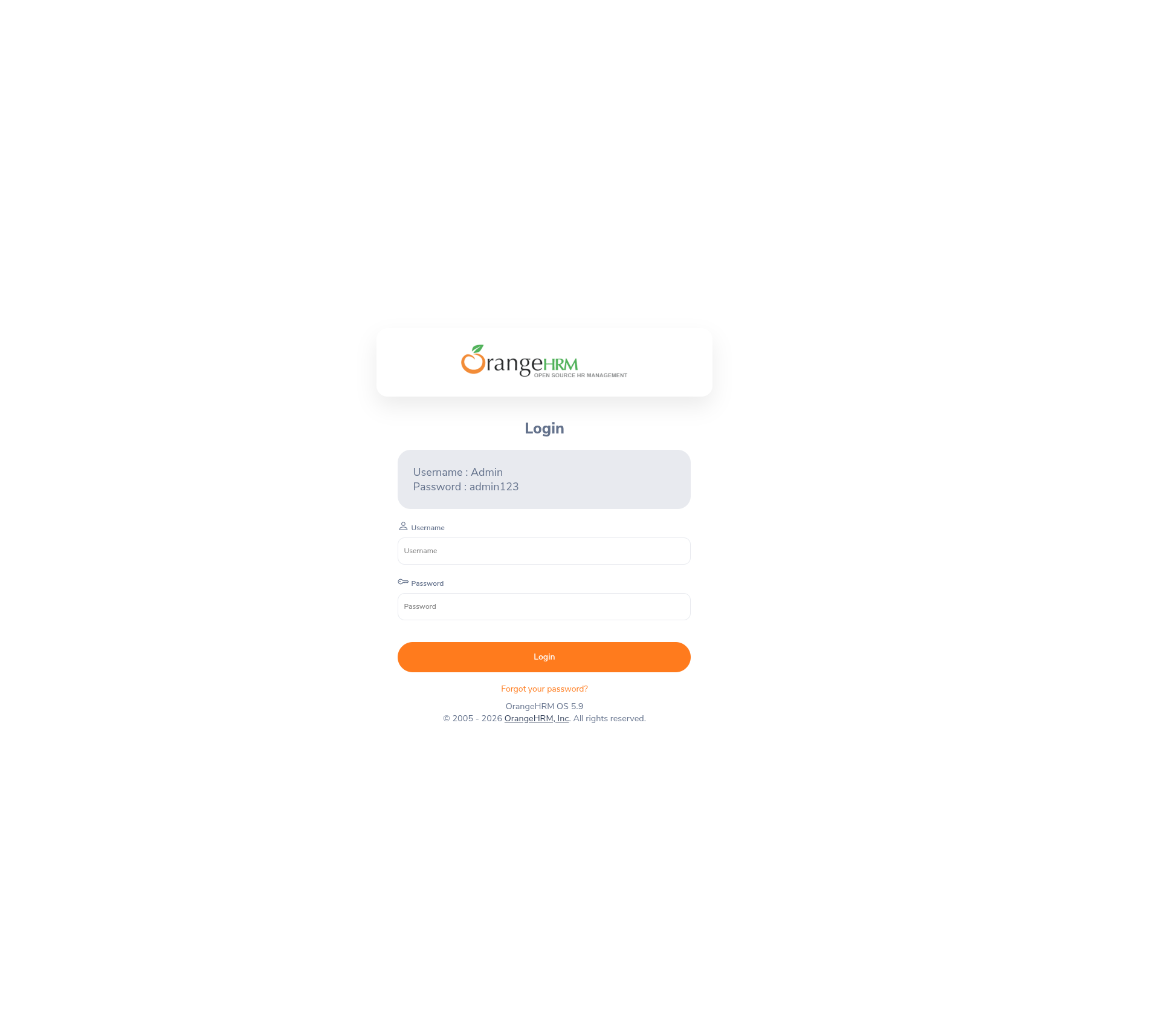
Open the demo in your browser and log in with the credentials shown right on the login page:
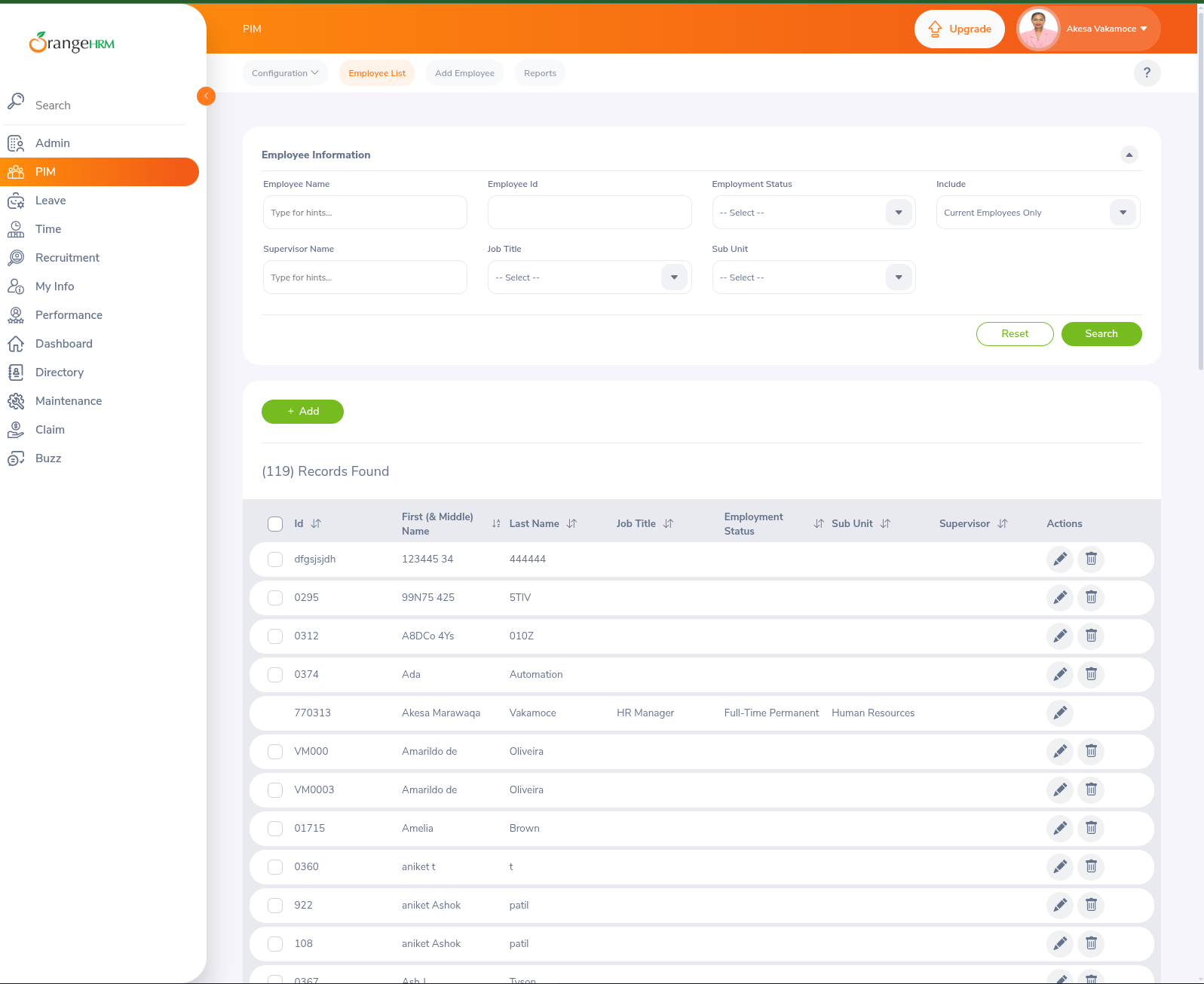
Once in, you land on the app. Navigate to PIM → Employee List — the page we want to scrape. It shows the employee directory as a paginated table ("(119) Records Found"):
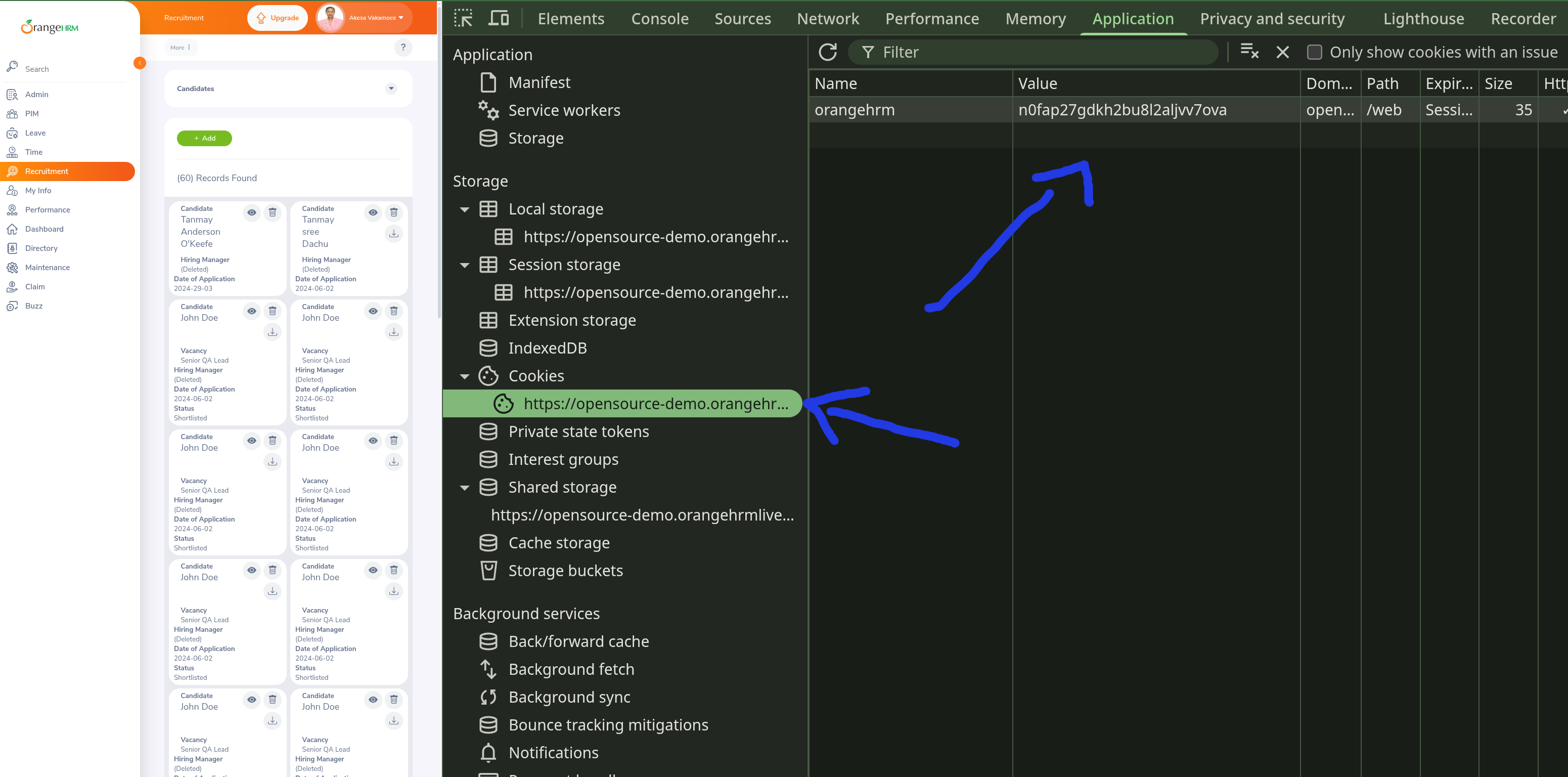
Now grab the session cookie. Open your browser's DevTools (F12) → Application tab → Cookies → the site's origin. OrangeHRM's session cookie is named orangehrm — copy its value:
Step 2 — Generate with --cookie
Point the generator at the Employee List URL and pass the cookie you copied. The --transport=auto flag lets the crawler render the page in a headless browser if a plain fetch isn't enough:
docker compose run --rm artisan datahelm:scrap:generate \
  "https://opensource-demo.orangehrmlive.com/web/index.php/pim/viewEmployeeList" \
  --get-detail=true \
  --get-primary-image=true --hash-names=true \
  --robot-name=opensource-demo-pim \
  --cookie="orangehrm=obi4njlqdkhmmajj54s5a8fbec" \
  --transport=auto \
  --force
· Auto-selected transport: guzzle (baked into the robot).
· Transport 'guzzle' succeeded.
· Rendered in a headless browser and captured 5 JSON response(s) from its network activity.
· Auto-detected the site's data API from its network activity:
  https://opensource-demo.orangehrmlive.com/web/index.php/api/v2/pim/employees?limit=50&… (50 records)
  — building an API-mode robot.
Robot command written to app/Console/Commands/RobotsCommand/RobotOpensourceDemoPim.php
Run it with: php artisan datahelm:robot:opensourcedemopim
Something clever happened. The employee table is drawn by JavaScript, so a plain HTML scrape finds nothing. The auto transport rendered the page in a headless browser, sniffed the network traffic, and spotted the JSON API the page calls — then built an API-mode robot that hits that endpoint directly (much faster than rendering a browser every run). The cookie was baked into the blueprint's http_config.cookies, so every request carries your session.
The generated blueprint is API mode (trimmed):
{
  "mode": "api",
  "api": {
    "endpoint": "https://opensource-demo.orangehrmlive.com/web/index.php/api/v2/pim/employees?limit=50&model=detailed&…",
    "method": "GET",
    "items_path": "data",
    "page_param": "offset",
    "page_size": 50,
    "start_page": 0
  },
  "fields": [
    { "name": "emp_number",  "css": "empNumber",  "type": "json" },
    { "name": "first_name",  "css": "firstName",  "type": "json" },
    { "name": "last_name",   "css": "lastName",   "type": "json" },
    { "name": "employee_id", "css": "employeeId", "type": "json" },
    { "name": "supervisors", "css": "supervisors","type": "json", "multiple": true }
  ],
  "http_config": {
    "cookies": [
      { "name": "orangehrm", "value": "obi4njlqdkhmmajj54s5a8fbec", "domain": "opensource-demo.orangehrmlive.com" }
    ]
  }
}
In API mode each field's css is a dot-path into the JSON record ("type": "json"), not a CSS selector — see API mode.
Step 3 — Run it (and watch it fail)
docker compose run --rm artisan datahelm:robot:opensourcedemopim
fetching: https://opensource-demo.orangehrmlive.com/web/index.php/api/v2/pim/employees
API: response is not JSON (got 203 bytes starting "<html><head><meta name="color-scheme"…").
  The endpoint may be blocked (anti-bot/expired cookies) or returning HTML.
Processed 0 item(s).

--- Crawl stats ---
  Items scraped : 0 in 3s (0.0/s)
  Pages         : 1 fetched, 0 failed
Zero items — and the crawler tells you exactly why. The API answered with HTML instead of JSON, which for a cookie-protected endpoint means one thing: the session cookie expired between generating the robot and running it. (OrangeHRM sessions are short-lived, and the demo resets periodically.) The API: response is not JSON message is your signal to re-capture the cookie — see the warning at the top of this page.
Step 4 — Refresh the cookie and re-run
Back in the browser, if your session lapsed, log in again and copy the current orangehrm value (Step 1). Then update the robot — the cookie lives in the embedded BLUEPRINT JSON, under http_config.cookies:
"cookies": [
  { "name": "orangehrm", "value": "k4c8dh11rei9hvcobp15om5p4f", "domain": "opensource-demo.orangehrmlive.com" }
]
Re-run — no re-generation needed:
docker compose run --rm artisan datahelm:robot:opensourcedemopim
fetching: https://opensource-demo.orangehrmlive.com/web/index.php/api/v2/pim/employees
fetching: https://opensource-demo.orangehrmlive.com/web/index.php/api/v2/pim/employees
fetching: https://opensource-demo.orangehrmlive.com/web/index.php/api/v2/pim/employees
Saved 95 item(s) to storage/app/scrapes/opensourcedemopim.json

--- Crawl stats ---
  Items scraped : 95 in 3s (24.9/s)
  Pages         : 3 fetched, 0 failed
95 employees across three API pages (the crawler pages the offset parameter automatically until the data runs out). A real record:
{
  "emp_number": "26",
  "last_name": "Tencrady",
  "first_name": "Sara",
  "middle_name": "",
  "employee_id": "0103",
  "termination_id": null,
  "supervisors": [
    { "empNumber": 7, "lastName": "user", "firstName": "manda", "middleName": "akhil" }
  ],
  "image_path": null
}
Note supervisors is a nested array kept whole because the field has "multiple": true, and image_path is null here — most demo employees have no profile photo, so --get-primary-image found nothing to download for them.
Why did the cookie work when a normal scrape wouldn't?
The employee API trusts the orangehrm session cookie to prove you're logged in. By replaying the exact cookie your authenticated browser holds, the crawler's requests are indistinguishable from yours — no password handling, no login automation, just the session you already established. The same mechanism handles any cookie-gated site: log in, copy the session cookie, pass it via --cookie.
Recap
# 1. log in with your browser; copy the session cookie (DevTools → Application → Cookies)

# 2. generate — auto transport renders the JS page, finds the JSON API, bakes in the cookie
docker compose run --rm artisan datahelm:scrap:generate \
  "https://opensource-demo.orangehrmlive.com/web/index.php/pim/viewEmployeeList" \
  --cookie="orangehrm=<your-session-value>" --transport=auto \
  --get-detail=true --get-primary-image=true --hash-names=true \
  --robot-name=opensource-demo-pim --force

# 3. run it
docker compose run --rm artisan datahelm:robot:opensourcedemopim
- Log in yourself, then replay the session cookie with
--cookie— there's no automated login flow. --transport=autorenders JavaScript pages and can auto-detect the JSON API behind them, turning a login-gated SPA into a fast API-mode robot.API: response is not JSONalmost always means the cookie expired — recapture it and re-run.- Captured sessions are for one-off scrapes, not unattended scheduled robots.
Where to go deeper: Scraping behind a login · HTTP transports · Bot protection · JavaScript sites & JSON APIs · Robots.